1. Revised template of the innoavtion fields
In the edit mode of the innovation fields you can now also fill the following fields:
| Market Opportunities : | Which current and future needs of consumers and customers does the innovation field address? |
| Technological Opportunities : | Which technological developments or technology-based trends form the basis for innovation projects within the innovation field? |
| Capabilities and Assets : | Which competences & resources are needed? Which ones already exist and which ones still need to be developed? |
2. Export of trend evaluations
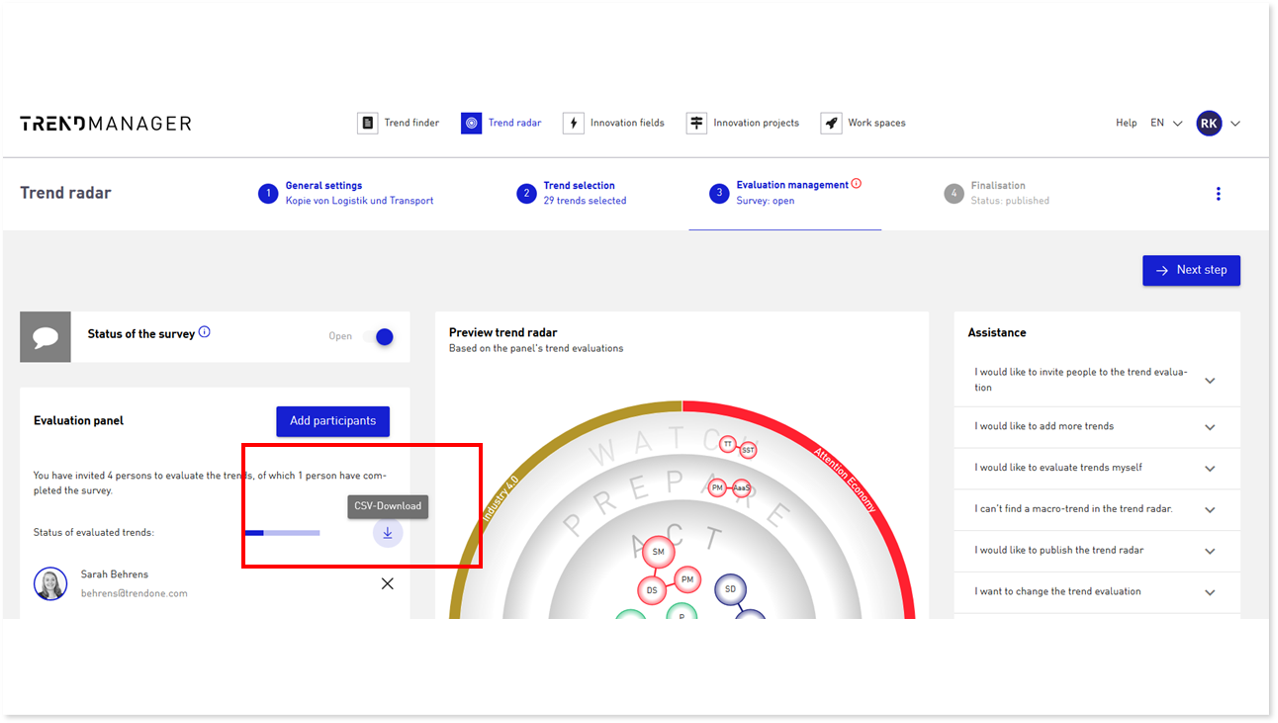
As a manager, you can export trend evaluations for trend radars you have created or for trend radars for which you have management rights. To do this, activate the edit mode of the trend radar and, in step 3 “Evaluation Management”, you can export an overview of all individual evaluations for each macro-trend anonymously in CSV format. This allows you to analyze the evaluations more explicitly in addition to the average evaluation.
3. Trend radar sharing options
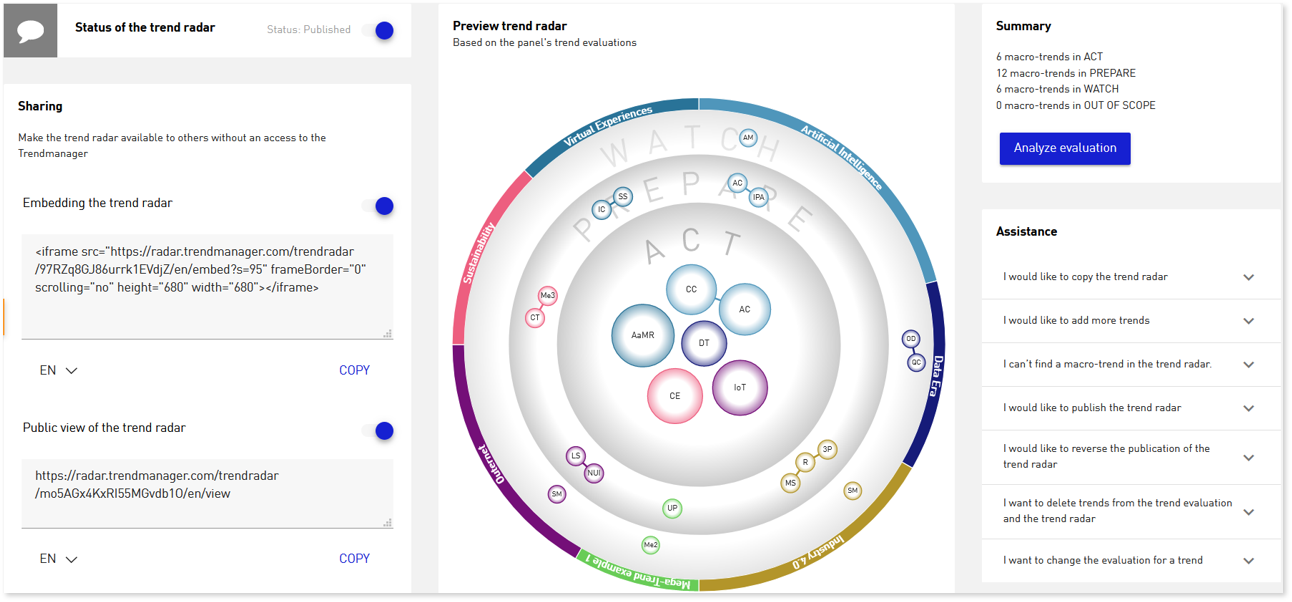
You now have the option to make trend radars available to external parties in various ways. To do this, switch to the Edit Mode. In step 4 “Finalization” you can activate the options for sharing to the left of the radar preview. You can use iframe code to integrate the radar into your own website or generate a URL that you can send. Please contact us for activation of this option.