Great News: We have some new features for you!
1. Two-factor authentication (2FA)
We have added 2FA to implement even more security in the login process. This prevents unauthorized third parties from gaining access to user data or functions simply because they have obtained the password. The 2FA procedure should be seen as a supplement to the previously requested password.
Thus, after the existing login interface (username & password), a 2FA is interposed, which opens after the “Login” button is triggered:

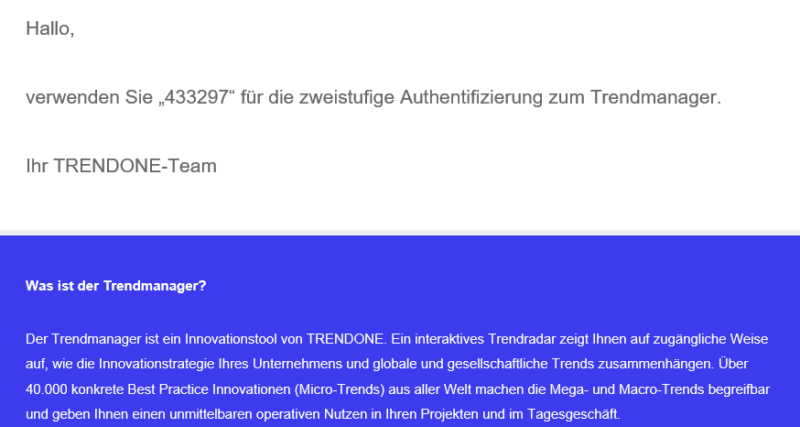
At the same time, you will automatically receive an e-mail from the sender “trendmanager@trendone.com” with a one-time password. This number combination must be transferred to the web interface for a successful login process:
2. Duplicate Workspaces
Furthermore, it is now possible to duplicate workspaces. This allows you to work on your predefined workspaces in separate groups or apply the settings for a completely new workspace.
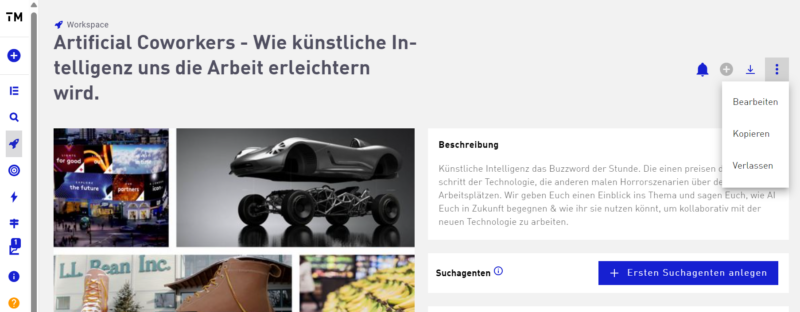
To duplicate a workspace – from an existing workspace – click on the three menu items and then on “Copy”:
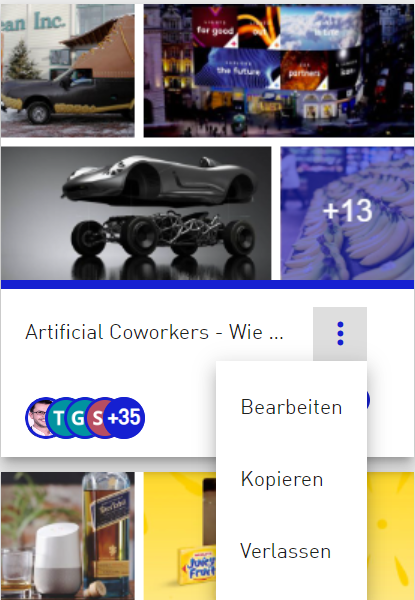
In addition to copying from the detail view, it is also possible to duplicate the individual workspaces from the workspace overview. To do this, press the three menu items simultaneously with copying from the detail view:
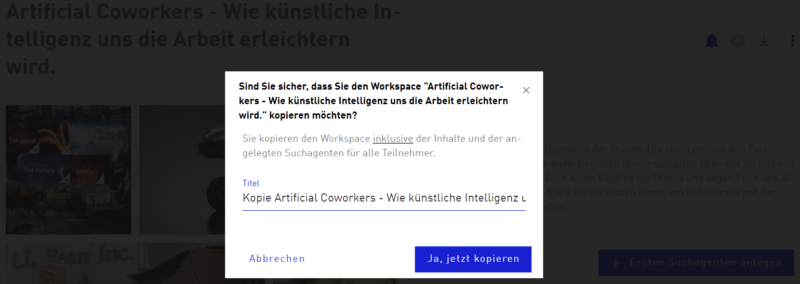
The name of the new workspace can then be changed. Confirm this process by clicking the “Yes, copy now” button. All previously authorized persons retain the authorization to view and edit the workspace. The new workspace can now be found in the overview of workspaces under the previously named title.
3. Exporting workspaces to Excel
The new function for exporting workspaces to an Excel file enables you to obtain an overview of the trends and supplement these with additional sources.
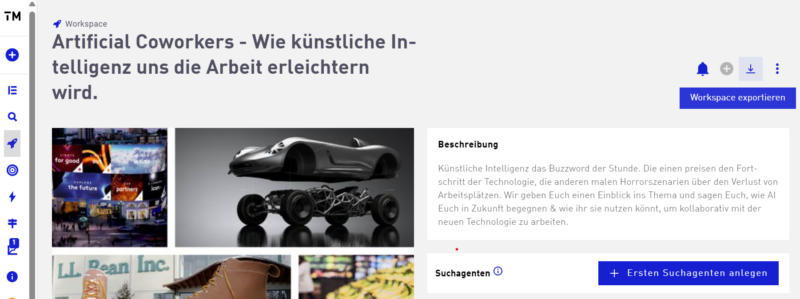
To export the workspace as an Excel file, press the “Export workspace” button (see image below). In addition to the existing option of exporting the workspace as PowerPoint or PDF, you now also have the option of an Excel export:
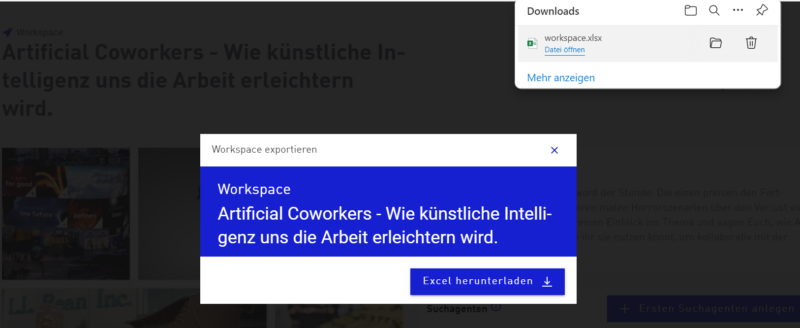
As with the other export formats, it is possible to select an individual & predefined export template and then trigger the export using the “Export” button:

Afterwards the export is available for download:
We are interested in continuously improving the Trendmanager so that we can make working with trends even more intuitive for you. Please help us by sending us your feedback and preferences. Thank you very much and enjoy the new features!
Best regards
your TRENDONE-Team